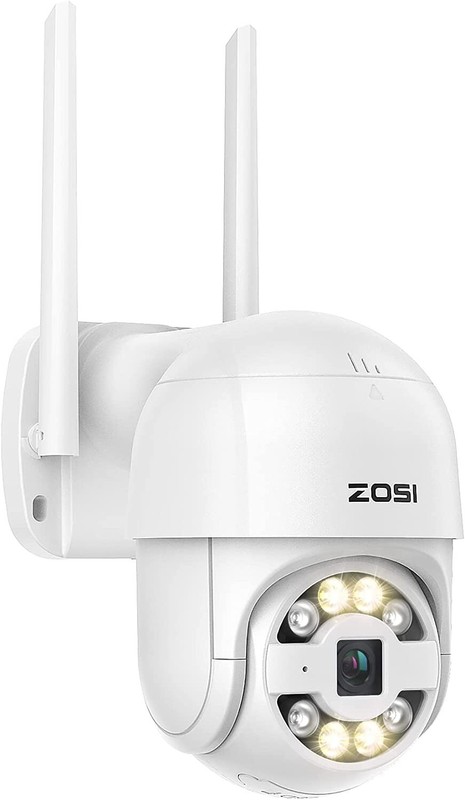





ZOSI 2K 3MP Wireless Security IP Camera Floodlights Auto Tracking AI Detect WiFi
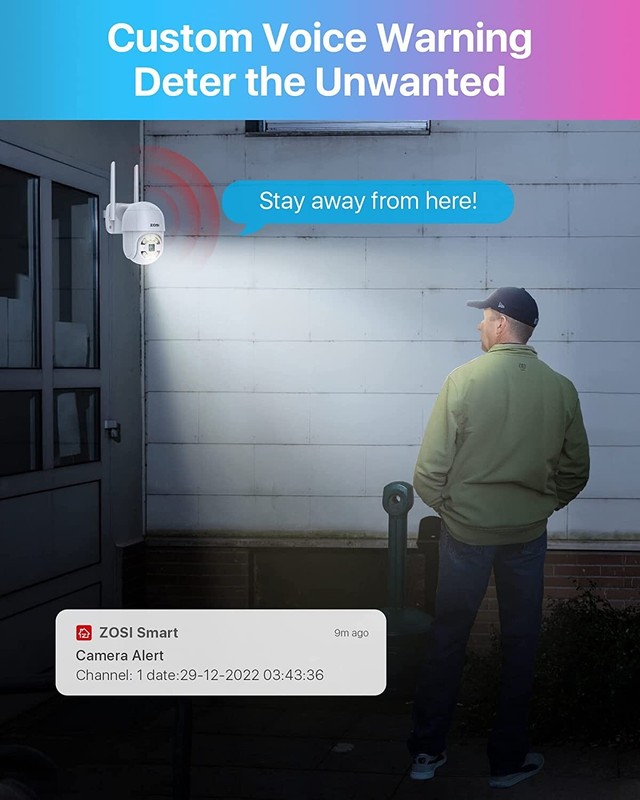
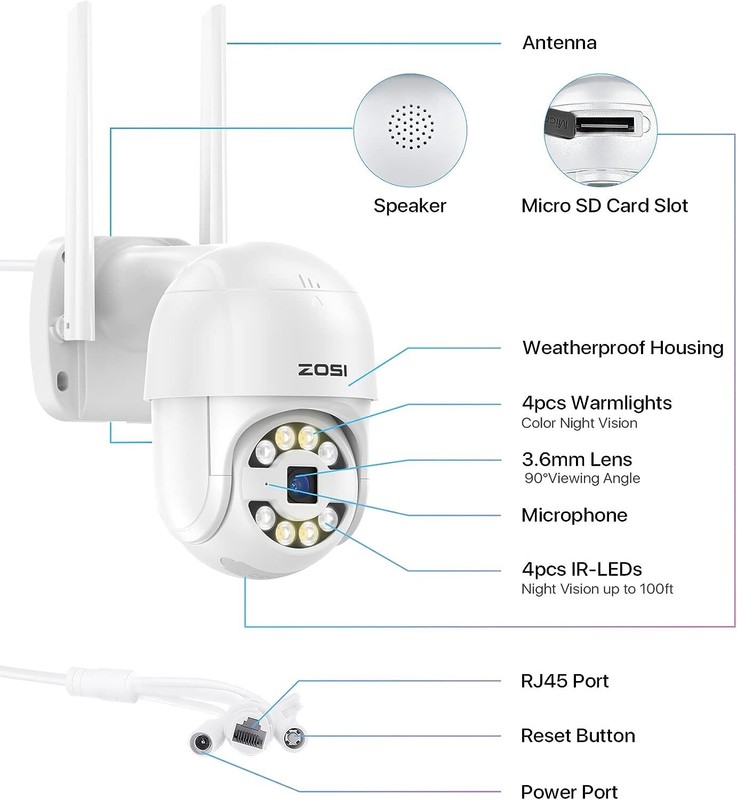
Please Noted: TF card is not included. 355° Pan and 140° Tilt With the ability to rotate 355° horizontally and 140° vertically, one PT camera can fulfill increased surveillance coverage especially for large areas without limitation. AI Predator-Detect Person,Vehicle,Package and Pet The camera is smart enough to just update the "ZOSI Smart" app, which can effectively identify vehicles, people, pets and packages. Light & Siren Warning to the Unwanted The camera detects human and activates spotlight and siren alerts to send strangers running. See, Hear and Talk Remotely Use two-way audio to respond to guests or warn off the unwanted from anywhere. Customizable Voice Alerts In addition to 9 default alert sound, you can also pre-record your voice for customized greeting or deterrence. Remote Access Anytime & Anywhere Stay aware of what's happening at home or business via the free Zosi Smart App/AVSS Client. Record Before the Detection Pre-Recording allows you to review the full event including the moments leading up to the detection. On Guard Rain or Shine IP66 weatherproof casing makes it tough enough to withstand harsh weather conditions. High-Gain 5dBi Dual Antenna The 5dBi dual antenna can effectively enhance wall penetration and anti-interference performance, providing strong and stable WiFi signal. Your Privacy is Our Priority All recorded footage are encrypted on-device to ensure your data transmission are kept in private. Voice-Activated Control Get instant access to your security camera via voice control. Just use simple voice commands to activate different camera features with Amazon Alexa. Q&A 1. Q: Can I add this camera to DVR/NVR system? A: No. It is used separately. And it isn't compatible with any DVR/NVR system. 2. Q: Why can't I add the camera through WiFi connection? A: Please make sure that the camera is powered on and waiting for network connection before adding; Otherwise, press and hold the reset button until a voice prompt to restore the factory settings is issued, and then try to add it.In addition, the camera only supports 2.4GHz WiFi signal, if your router is a 5G router, please turn on the dual-band mode of the router and select the 2.4G signal. 3. Q: What should I do if the APP shows that the camera is disconnected? A: Please checkWhether the camera is connected to the network.Whether the router is working normally.Whether the function of 'Obtain IP address automatically' is chosen or not.If there is no problem above, power off and restart the camera. If it is still disconnected after restarting, please remove the camera in the APP and add it again.
Specifications
| Return Shipping Will Be Paid By | Seller |
| All Returns Accepted | Returns Accepted |
| Item Must Be Returned Within | 60 Days |
| Weatherproof Level | IP66 |
| Display Technology | LCD |
| Power Source | Wall Plug-In |
| Items Included | 2K PTZ Camera |
| MPN | Does not Apply |
| Smart Home Compatibility | Amazon Alexa |
| Voltage | 12 V |
| Features | IP Intercom |
| Storage Capacity | Cloud & SD Card Storage |
| Surveillance Technology | IP/Network |
| Compatible Brand | ZOSI |
| Resolution (TVL) | 2K/3MP |
| Color | White |
| Color Mode | Color Day, B&W Night |
| Brand | ZOSI |
| Type | Dome |
| Maximum Resolution | 3MP |
| Model | 1NC-2893Q-P-US |
| Connectivity | Wireless |
| Lens | 3.6mm |
| IR Distance | Up to 100ft |
| Connected Home Protocol | Wi-Fi |
| Application | Indoor/Outdoor |
| Smart Home Protocol | Wi-Fi |
| Operating Sound Rating | 60dB |
| Power | 24W |
| Location | Indoor/Outdoor |
| Manufacturer Warranty | 1 Year |
| Camera Viewing Angle | 90° |
Please Noted: TF card is not included. 355° Pan and 140° Tilt With the ability to rotate 355° horizontally and 140° vertically, one PT camera can fulfill increased surveillance coverage especially for large areas without limitation. AI Predator-Detect Person,Vehicle,Package and Pet The camera is smart enough to just update the “ZOSI Smart” app, which can effectively identify vehicles, people, pets and packages. Light & Siren Warning to the Unwanted The camera detects human and activates spotlight and siren alerts to send strangers running. See, Hear and Talk Remotely Use two-way audio to respond to guests or warn off the unwanted from anywhere. Customizable Voice Alerts In addition to 9 default alert sound, you can also pre-record your voice for customized greeting or deterrence. Remote Access Anytime & Anywhere Stay aware of what’s happening at home or business via the free Zosi Smart App/AVSS Client. Record Before the Detection Pre-Recording allows you to review the full event including the moments leading up to the detection. On Guard Rain or Shine IP66 weatherproof casing makes it tough enough to withstand harsh weather conditions. High-Gain 5dBi Dual Antenna The 5dBi dual antenna can effectively enhance wall penetration and anti-interference performance, providing strong and stable WiFi signal. Your Privacy is Our Priority All recorded footage are encrypted on-device to ensure your data transmission are kept in private. Voice-Activated Control Get instant access to your security camera via voice control. Just use simple voice commands to activate different camera features with Amazon Alexa. Q&A 1. Q: Can I add this camera to DVR/NVR system? A: No. It is used separately. And it isn’t compatible with any DVR/NVR system. 2. Q: Why can’t I add the camera through WiFi connection? A: Please make sure that the camera is powered on and waiting for network connection before adding; Otherwise, press and hold the reset button until a voice prompt to restore the factory settings is issued, and then try to add it.In addition, the camera only supports 2.4GHz WiFi signal, if your router is a 5G router, please turn on the dual-band mode of the router and select the 2.4G signal. 3. Q: What should I do if the APP shows that the camera is disconnected? A: Please checkWhether the camera is connected to the network.Whether the router is working normally.Whether the function of ‘Obtain IP address automatically’ is chosen or not.If there is no problem above, power off and restart the camera. If it is still disconnected after restarting, please remove the camera in the APP and add it again.


